
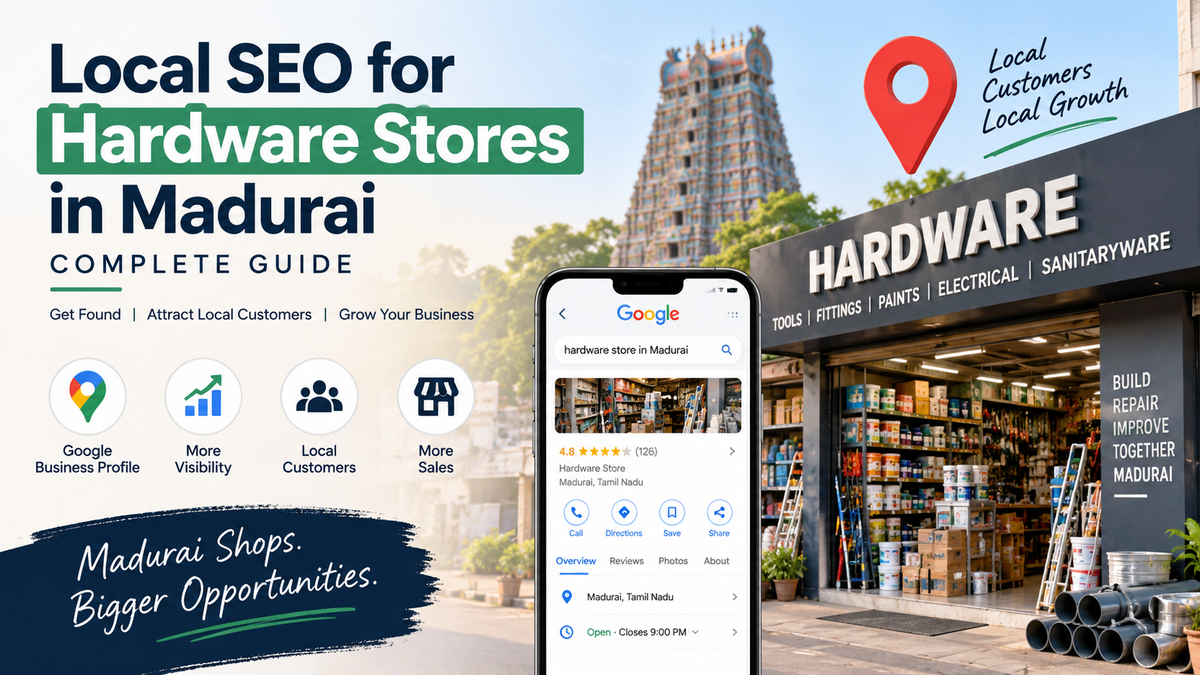
Quick answer: To optimise your Google Business Profile (GBP) in Madurai, verify the profile and use your real-world business name with no extra keywords. Choose the most specific primary category, and keep your address, phone number and hours exactly the same as on your website. Then add real photos, list your services, and build a steady flow of genuine reviews that you reply to. Google says local results are based mainly on relevance, distance and prominence. Each step below improves one of those three things (Google Business Profile Help).
When someone in Anna Nagar searches "dentist near me", or a visitor near the Meenakshi Amman Temple types "best saree shop in Madurai", Google usually shows a map with a short list of businesses before the regular results. Those listings come from Google Business Profiles. For many Madurai businesses (clinics, showrooms, restaurants, coaching centres, hardware stores, service providers) that map is where calls, direction requests and WhatsApp enquiries actually start.
This checklist is what we use when we audit a Madurai business's profile. You can work through it yourself in an afternoon. Where something needs ongoing work, we say so.
Why your Google Business Profile matters more than you think
Google's own help documentation explains that local results are mainly based on three factors (source):
- Relevance: how well your profile matches what the person searched for.
- Distance: how far your business is from the searcher, or from the location in their search.
- Prominence: how well known your business is. Google says this draws on information such as links to your business from other websites and how many reviews you have.
Google also states that there is no way to request or pay for a better local ranking. Distance is something you cannot change. Relevance and prominence are where this checklist helps.
Part 1: Get the foundations right
1. Claim and verify your profile
An unverified profile can be edited by others and is less likely to show up. Google says verification tells it you're authorised to represent the business, which makes the profile more likely to appear in results (source). If a previous employee or agency set up your listing, recover ownership before doing anything else.
2. Use your real business name and nothing else
This is the most common mistake we see in Madurai. Names like "ABC Dental Clinic – Best Dentist in Madurai Anna Nagar" break Google's guidelines. Google says your name should reflect your real-world name, as used on your storefront, website and stationery. It also warns that unnecessary information in the business name can lead to suspension (Guidelines for representing your business on Google).
Do: "ABC Dental Clinic" Don't: "ABC Dental Clinic | Root Canal | Madurai No.1"
3. Choose the most specific primary category
Categories are one of the clearest relevance signals you control. Google's guidelines ask you to use as few categories as possible to describe your core business, choose ones that are as specific as possible, and not use categories as keywords (source). A paediatric clinic should not pick only "Hospital". A textile wholesaler should not pick only "Store".
Tip: search your main service in Google Maps from your shop's location. Note the categories the top three businesses use, then pick the most accurate match for your business.
4. Get the address and service area right
- If customers visit you (shop, clinic, showroom), show your full address and pin the exact building. Madurai addresses often include a landmark or a door number like "4/3". Make sure the pin sits on your actual entrance, not the middle of the street.
- If you visit customers (pest control, interior design, AC service), you are a service-area business. Google says such businesses should have one profile for the central office, with a designated service area (source). You can set service areas such as Madurai, Thiruparankundram or Melur (Manage your service areas).
- Don't create profiles for virtual offices or unstaffed addresses. Google's guidelines don't allow them.
5. Make your NAP identical everywhere
NAP means Name, Address, Phone. Your GBP, website footer, contact page, Justdial, Sulekha, Facebook page and invoices should all show the same version. Pick one phone format (for example, +91 98765 43210) and one address format, and use them everywhere. Inconsistent details make it harder for Google, and for AI assistants that summarise local businesses, to be confident about who you are.
Part 2: Make the profile relevant and useful
6. Write a clear, honest business description
Google asks you to use the description to explain your services, products, mission and history, and to be upfront and honest (source). Write it the way a customer would describe you:
"Family-run hardware and electricals store on Bypass Road, Madurai, since 1998. We stock plumbing, electrical and paint supplies for homes and contractors. Bulk orders and delivery across Madurai city."
Many Madurai customers search in both English and Tamil. Your description and posts can naturally include the Tamil names your customers use for your products or services.
7. Add every service and product you actually offer
Use the Services and Products sections. A dental clinic should list "Root canal treatment", "Teeth cleaning" and "Braces" as separate services, not just "Dental care". Each one is another chance to match a specific search. Retailers in eligible regions can also show in-store products (source).
8. Keep hours accurate, including festival hours
Google lists business hours, including special hours, as part of a complete profile (source). In Madurai this matters during Chithirai Thiruvizha, Pongal, Deepavali and local holidays, when traffic changes and many shops change timings. Set special hours in advance. A customer who arrives to find your shutters down is unlikely to try again.
9. Fill in attributes
Attributes such as parking, wheelchair access, payment options or "women-owned" help customers decide and help Google match detailed searches. Google mentions attributes like parking and Wi-Fi as part of a complete profile (source).
10. Upload real photos and short videos
Google recommends photos and videos to show what you offer (source). Prioritise:
- The storefront from the street, so people can recognise it when they arrive
- The interior, the team, and your products or work
- A short video walk-through
Use your own photos, not stock images, and follow Google's content policy for photos and videos (source). Add new photos regularly rather than 50 in one day and then nothing for a year.
Part 3: Build prominence over time
11. Set up a simple, honest review system
Reviews feed directly into prominence. Google says more reviews and positive ratings can help your local ranking (source). Google suggests asking customers with a review link or QR code (Tips to get more reviews). In practice:
- Print the QR code at the billing counter or reception.
- Send the review link on WhatsApp after a completed job or visit.
- Ask every customer, not only the happy ones.
Never offer discounts, gifts or freebies in exchange for reviews. Google classes incentivised reviews as fake and misleading content and strictly prohibits them (source).
12. Reply to every review, in the reviewer's language
Google says replying shows customers you value their feedback (source). Thank people by name, mention what they bought or experienced, and reply in Tamil if the review is in Tamil. For negative reviews, stay calm, acknowledge the problem and move the conversation to a phone call. Google also advises against promotional replies (source).
13. Post updates regularly
Use GBP posts for offers, new arrivals, events and seasonal updates, such as wedding-season collections or a free check-up camp (Create & manage posts). Posts keep your profile looking active and give customers a reason to call.
14. Build consistent citations on trusted directories
Prominence is also shaped by information about your business across the web (source). List the same NAP on the platforms Madurai customers already use, such as Justdial, Sulekha, IndiaMART (for B2B), Bing Places and Apple Business Connect. Fix old listings that show a previous phone number or address.
15. Connect the profile to a matching page on your website
Link your GBP website button to the page that best matches the profile, usually a location page rather than a generic homepage. That page should repeat your exact NAP, hours and services, and can include LocalBusiness structured data so search engines can read those details reliably (Google Search Central: LocalBusiness structured data).
Common mistakes we see with Madurai profiles
- Keyword-stuffed names ("Best… No.1… Madurai"), which risk suspension.
- Duplicate listings created by staff, old agencies or previous owners.
- Wrong map pins, common in dense areas like Town Hall Road, Simmakkal and Goripalayam.
- Mismatched phone numbers between the website, Justdial and GBP.
- Ignored reviews, especially Tamil-language reviews that never get a reply.
- No website link, or a broken one. If your website link leads to an error page, you lose the customer at the final step.
How to tell if it's working
Inside your Business Profile, the Performance section shows how customers interact with your profile, including calls, direction requests and website clicks (Understand your Business Profile performance). Note your numbers before you start this checklist and compare month on month. Pair that with a simple question for every new enquiry: "How did you find us?"
Does your Google Business Profile affect AI search?
AI assistants and Google's AI features summarise information from across the web, and clear, consistent business information is easier for any system to understand and repeat accurately. In our view, a complete, accurate, well-reviewed profile that matches your website and directory listings is one of the most practical foundations for appearing in AI answers about local businesses. If you want to go further, see our GEO & AEO services in Madurai.
DIY or get help?
You can complete steps 1–10 yourself in a few hours. Steps 11–15 are ongoing: they need a review routine, regular posts and citation clean-up month after month, and that's where most busy owners fall behind. If you'd like a second pair of eyes, our Local SEO service for Madurai businesses starts with a full profile audit. You can see typical costs on our Local SEO pricing page.
Get a free Google Business Profile check. Send us your business name on WhatsApp (+91 99440 40345) and we'll tell you the three fixes most likely to bring more calls. You can also contact us here or visit our Madurai office page.
Frequently asked questions
How long does it take to see results from Google Business Profile optimisation?
Corrections such as categories, hours and a fixed map pin can show up within days or weeks once Google processes the edits. Prominence signals like reviews and citations build over months. Timelines vary with your category and how competitive your area of Madurai is, so measure monthly in the Performance report.
Can I pay Google to rank higher in Google Maps?
No. Google states there is no way to request or pay for a better local ranking (source). Paid Google Ads can appear in map results as ads, but that is separate from organic local ranking.
Should I add "Madurai" or keywords to my business name?
Only if it is genuinely part of your real-world name on your signboard. Adding unnecessary keywords to the name breaks Google's guidelines and can lead to suspension (source).
Is it okay to offer a discount for a Google review?
No. Google prohibits offering incentives such as free or discounted goods or services in exchange for reviews (source). Ask every customer politely using a review link or QR code instead.
My business serves customers at their homes. Should I show my address?
If you don't serve customers at your premises, set up as a service-area business with your service areas defined. Google's guidelines describe one profile for the central office with a designated service area (source).
Do I still need a website if I have a good Google Business Profile?
Yes. Your profile's website button should lead to a fast page that confirms the same details and makes it easy to call or WhatsApp you. Your website also supports relevance and prominence through content and links. See SEO vs Google Ads for Madurai businesses for how the channels work together.